Galaxy S25 Ultra
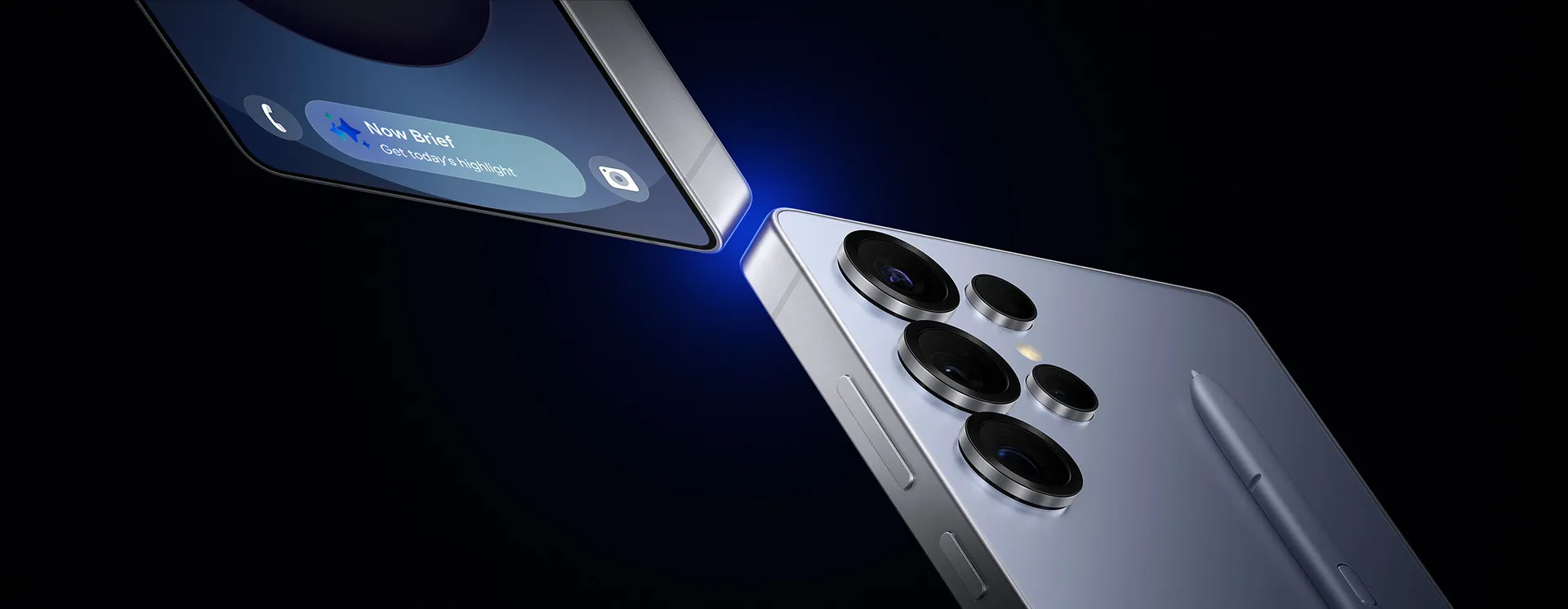
Catch the Highlights
Press, talk, done1
play
Galaxy S25 Ultra device is seen being held and YouTube is active on the main screen. The side button is long pressed to Ask Google Gemini using natural language to list the places mentioned in a video and save it as a Note. It will go through various applications to search online and then create and save a Note.
The most advanced AI ProVisual Engine2,3
play
Footage is shot of a woman and her dog outside in the evening. The dog runs towards the woman and the footage is clear thanks to Galaxy S25 Ultra's camera.
The most powerful processor, customized for Galaxy
play
Customized for Galaxy AP is seen coming into view before transforming into a scene from Night Crows.
Unparalleled battery life4
play
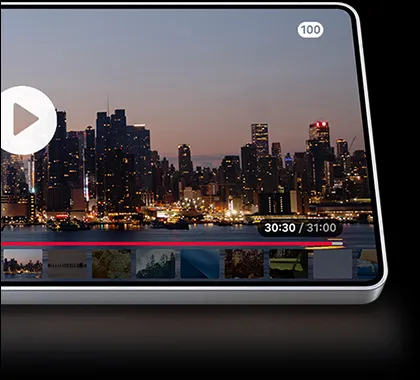
A time lapse of a city landscape goes from day to night for 31 hours thanks to Galaxy S25 Ultra's long-lasting battery.
T3
ZDNET
ZDNET
Close up of the top of Galaxy S25 Ultra side profile shows the sleek design. The device rotates to show its rounded corners and S Pen slides up into view.
Galaxy S25 Ultra's rounded design expresses a unified identity for the Galaxy S series. With its sleek and strong titanium frame and a built-in S Pen, it's an ultra-modern, vision of bold design.5
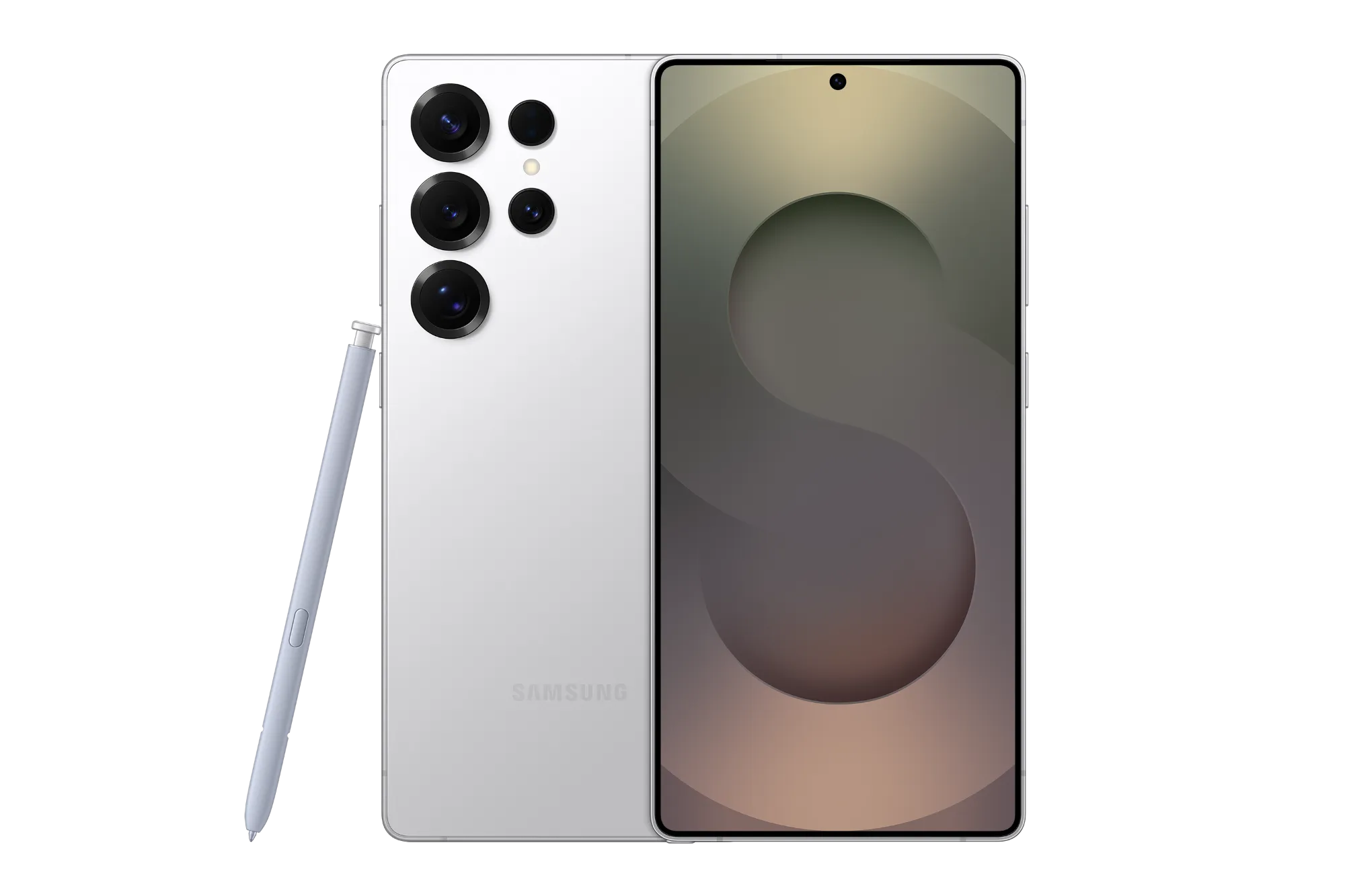
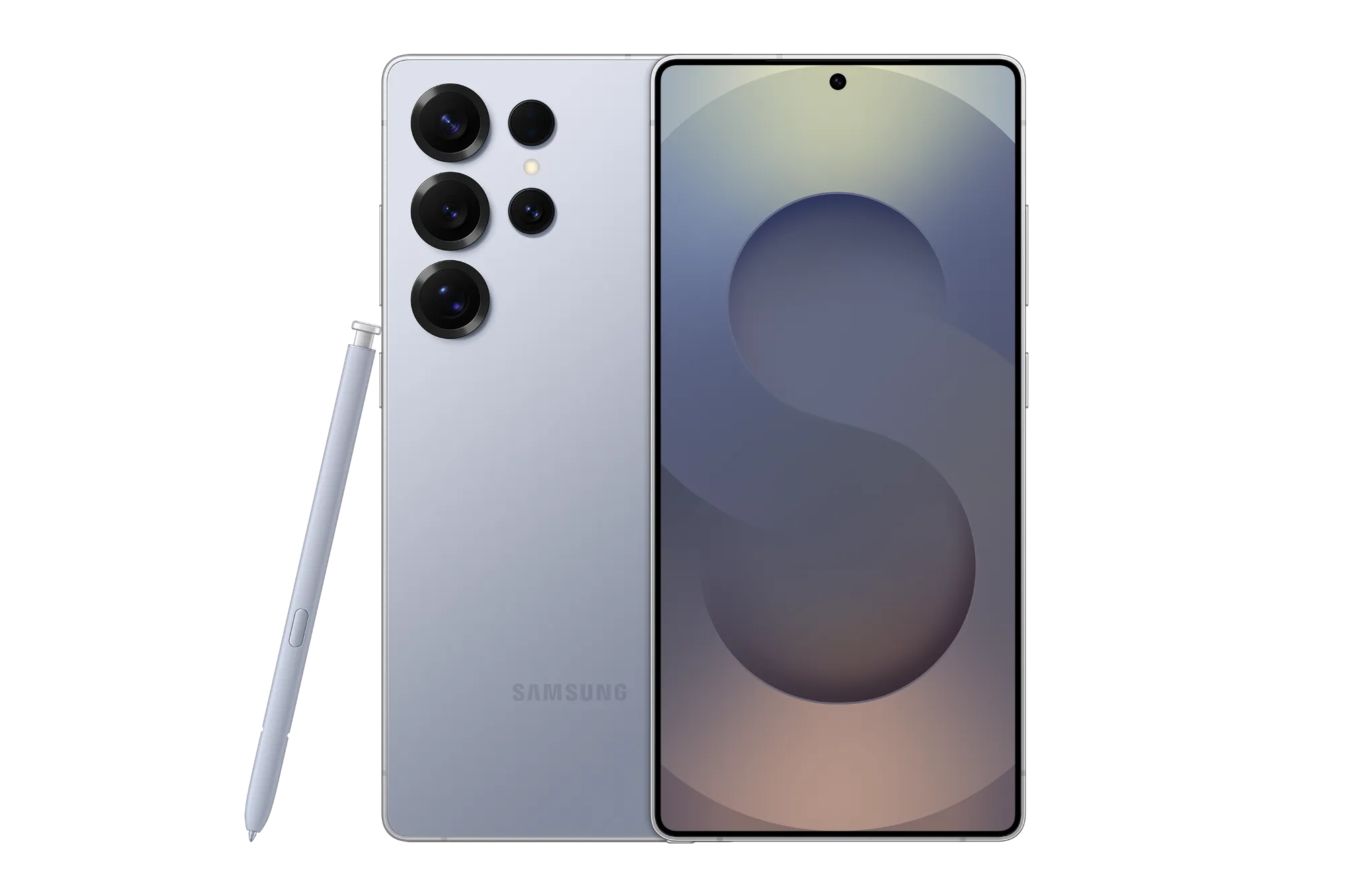
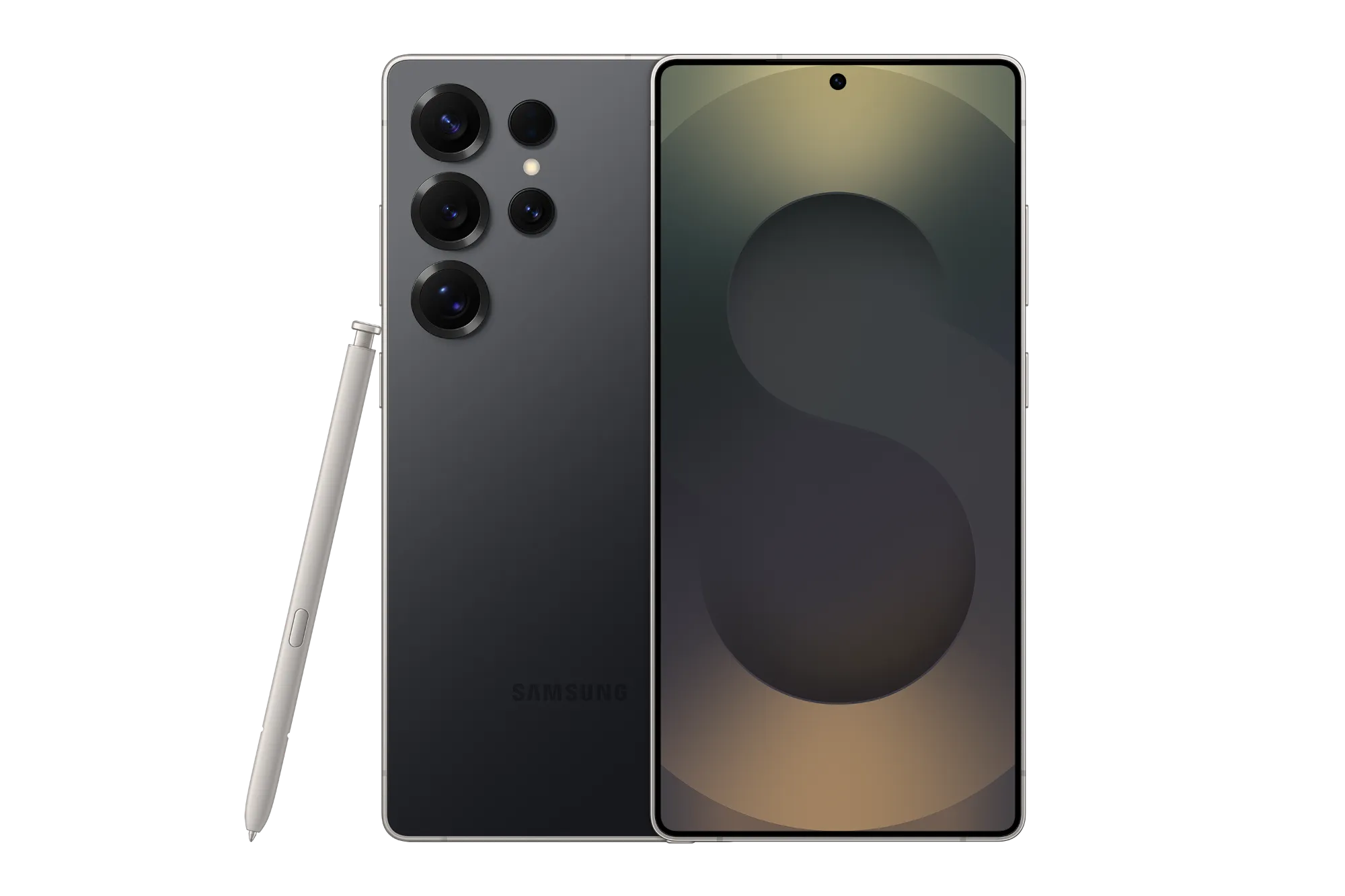
Meet our radiant lineup6
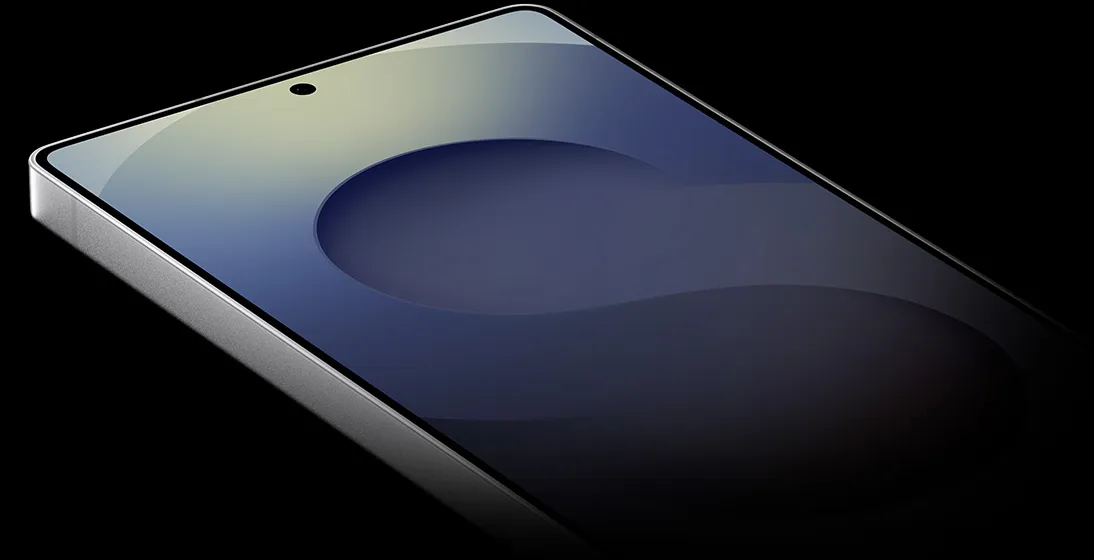
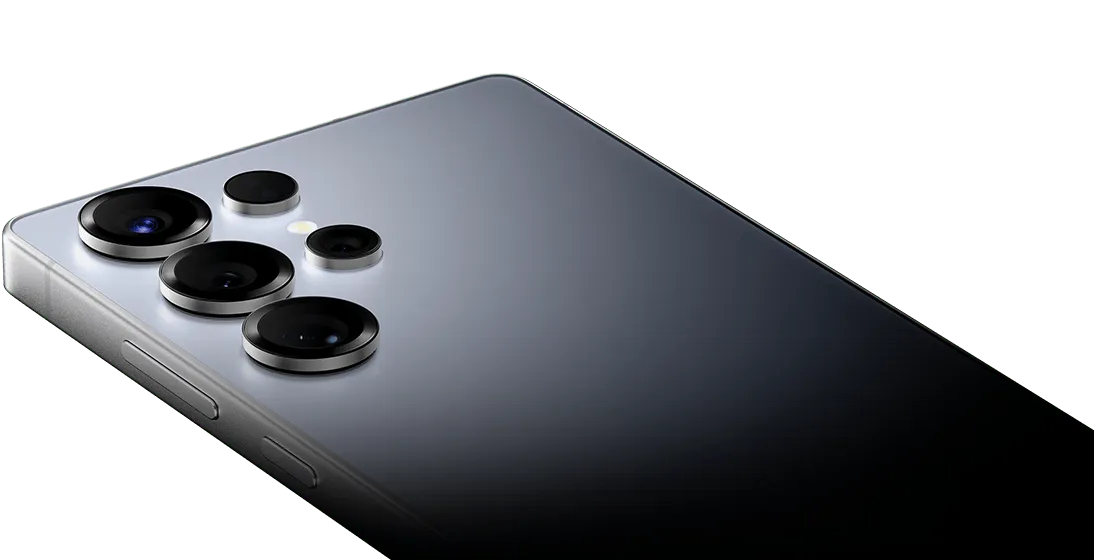
A 3D device simulation of Galaxy S25 Ultra that rotates. Showing the main screen with front camera, the back of the device and its rear cameras, side keys and side button. Galaxy S25 Ultra has S Pen.
Titanium SilverblueTitanium BlackTitanium GrayTitanium Whitesilver
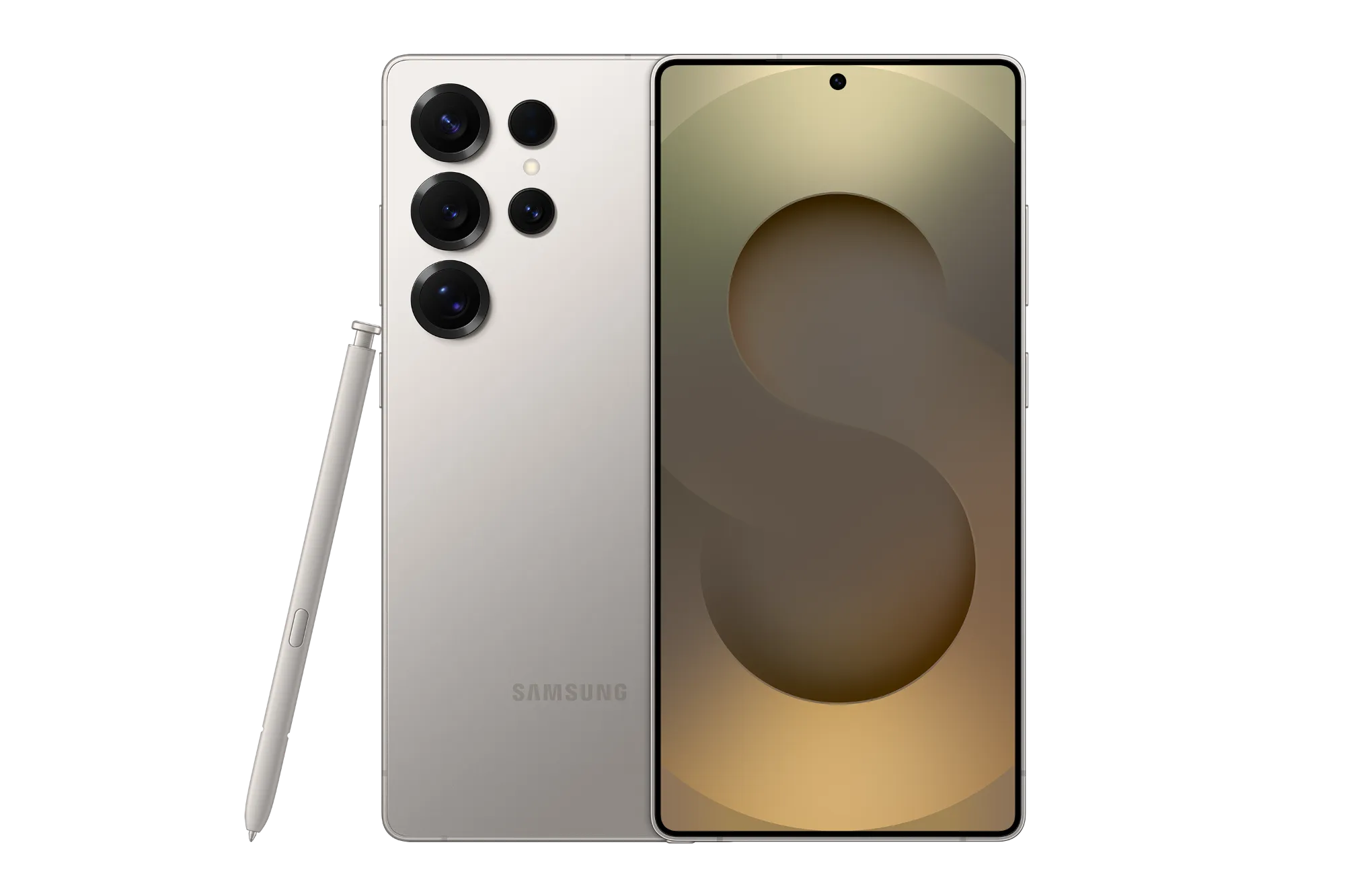
Looks sleek, built tough
Ultra-strong titanium
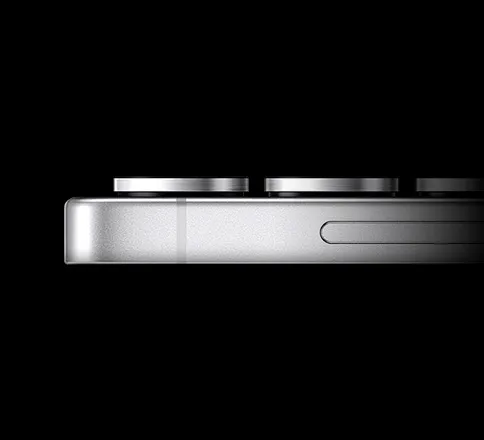
Shielded in a strong titanium frame, your Galaxy S25 Ultra always stays protected.5
Galaxy's toughest glass ever
Now Bar enters from right to left with an alert from Now Brief. Now Bar then moves to the bottom of the main screen of Galaxy S25 Ultra that comes into focus. Three other alerts from Now Bar appear stacked above the first one, timer, music and exercise.
Ring in the next era of mobile AI with an AI companion who's one step ahead of your every need. Just let natural conversation guide the way to checking off everyday tasks with ease.
Press, talk, done1
play
Galaxy S25 Ultra device is seen being held and YouTube is active on the main screen. The side button is long pressed to Ask Google Gemini using natural language to list the places mentioned in a video and save it as a Note. It will go through various applications to search online and then create and save a Note.
Seamlessly complete your tasks without having to switch between various apps. Simply press and hold the side button to access Google Gemini for help.1
Haces mentioned in the video and save it as a Note. It pulls relevant information from the video and saves it into Notes. All set! The note is saved on the device. Disclaimer: Sequences shortened and simulated. Results for illustrative purposes only. Service availability may vary by country, language, device model. Requires internet connection and Google Account login. Users may nee
Go live, get answers
pause
Google Gemini Live is active and Talk Live is selected. Next, an image is sent as an attachment to Gemini Live. Gemini Live analyzes the image and you can talk back and forth about the contents using natural language.
Have free-flowing conversation with Gemini Live to brainstorm ideas or prepare for presentations by attaching images and getting real-time responses that adapt to your conversation style.9
How to use Gemini LiveHow to use Google Gemini Live on the Galaxy S25 Series. Looking to spark creativity and stay productive? Talk with Google Gemini Live. Next, Google Gemini Live. 1. Get Started. Galaxy S25 s. Disclaimer: Video simulated for illustrative purposes. Actual UX/UI may be different. Color availability may vary depending on country or carrier. samsung.com. Samsung logo.
Personalized briefings for your day
play
Now Brief sends personalized briefs throughout the day. Morning brief includes weather and Energy Score updates, Midday brief includes driving tips and expiring coupon updates and Evening brief includes a recap of the day with pictures from your gallery and daily activity highlights.
Get personalized briefings throughout the day from the all-new Now Brief. Start your morning with a run-down of the day ahead, such as checking your latest Energy Score and reminders of a busy schedule. Then, recap on the day's events in the evening with daily activity insights.10
Circle it, find it. Hear it, find it
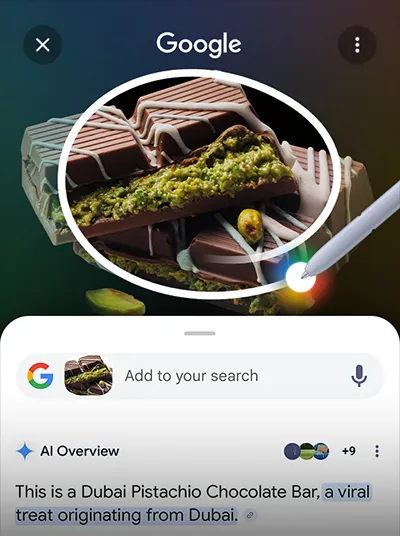
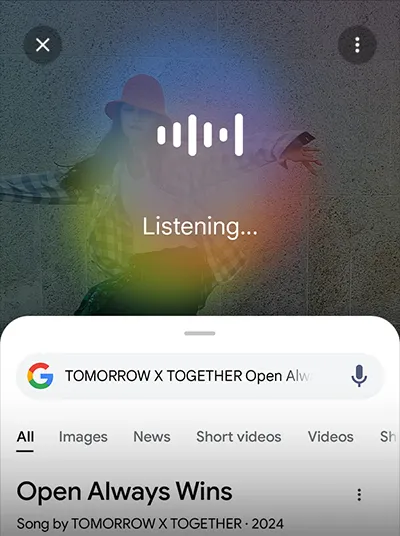
Circle to Search with Google allows you to search anything on your screen and get information faster with AI Overviews. Just circle an object—including images, videos, or text—with your finger or S Pen and you'll get results immediately. You can even search for a song that you hear in the moment without switching apps.11
A sound studio at your fingertips
Footage of subjects is seen with soundwaves across the middle. In Audio Eraser, selected unwanted noise can be reduced from 0 to minus 100. At minus 100, Mute is highlighted.
Filter out unwanted background noise from your videos and make them share-worthy with Audio Eraser. Galaxy AI fine-tunes your audio by adjusting different types of sound including voices, music, wind and more.12
t.' Galaxy S25 plus in Navy, Galaxy S25 Ultra in Titanium Silverblue with S Pen, and Galaxy S25 in Icyblue are all in rear view, with the bold camera design. Galaxy S25 Series. Galaxy AI. Disclaimer: Video simulated for illustrative purposes. Actual UX/UI may be different. Color availability may vary depending on country or carrier. samsung.com. Samsung logo.
Filters just for you
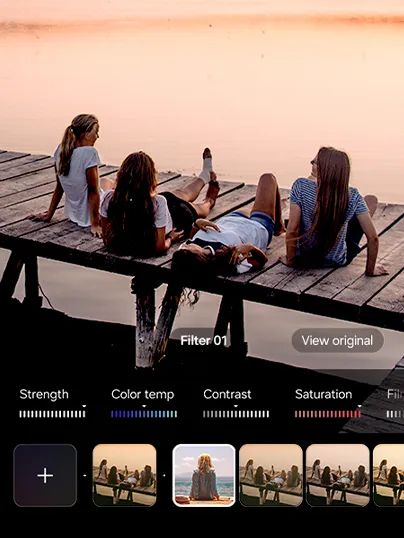
Bring your pics to life with your own personalized filters. Galaxy AI will analyze your favorite photo and create a filter that captures the scene. Use it instantly or customize further to suit your mood with tweaks to the saturation, brightness and more.
How to use FiltersGalaxy AI. Disclaimer: Samsung Account login may be required to use certain Samsung AI features. Samsung does not make any promises, assurances or guarantees as to the accuracy, completeness or reliability of the output provided by AI features. Availability of Galaxy AI features may vary depending on the region/country, OS/One UI version, device model, and phone carrier. Galaxy AI features will be provided for free until the end of 2025 on supported Samsung Galaxy devices. Different terms may apply for AI features provided by third parties. Galaxy AI service may be limited for minors in certain regions with age restrictions over AI usage. How to use Filters on the Galaxy S25 Series. Take stunning photos with Filters that are uniquely yours. Let’s start creating your own custom filter! Next, Filters. 1. Create your own custom filter. The main screen of a Galaxy S25 Series device is seen. Open the Camera app. A photo of a subject in front of plants. Tap Quick controls icon. Then, swipe left and press Filters icon. Disclaimer: Video simulated for illustrative purposes. Actual UI may be different. and choose Create filters. Select a photo you want to use as a filter. Tap Create. Select Filter 3 and name your filter. Tap Done to complete your custom filter. Disclaimer: Filters may not be generated if the image size is too small. Video simulated for illustrative purposes. Actual UI may be different. All set! Let’s take amazing photos with your own filter! Next, Filters. 2. Shoot with your custom filter. With the filter you just created, press and hold View original to see the difference. Snap! Give your portrait a fresh look with different filters. Craft your own using photos from your gallery. Now snap photos with your personalized filter. Make videos shine with the same filter. Want to change the filter on your photo? Let’s refine the details and make it truly unique. Next, Filters. 3. Fine-tune your custom-made filter. Gallery app is active on the main screen of Galaxy S25 Series smartphone. Tap Edit icon and press Filters icon. Fine-tune them to match your vibe perfectly. Strength, Color temp, Contrast, Saturation and Film grain are adjusted. Personalize your filters with your own photos. Snap and create your own photos. A true AI companion. Galaxy AI. Next, four Galaxy S25 Series smartphones arranged in a grid together rotate into view. Light shines through the middle to represent the Galaxy AI logo. Galaxy S25 Ultra in Titanium Silverblue is seen from the main screen, with a Now Brief notification that says, 'Get today's highlight.' Galaxy S25 plus in Navy, Galaxy S25 Ultra in Titanium Silverblue with S Pen, and Galaxy S25 in Icyblue are all in rear view, with the bold camera design. Galaxy S25 Series. Galaxy AI. Disclaimer: Video simulated for illustrative purposes. Actual UX/UI may be different. Color availability may vary depending on country or carrier. samsung.com. Samsung logo.
Personal data stays personal

On-device protection
The Personal Data Engine combines and processes your primary data and provides tailored suggestions. It encrypts this data and saves it on your device with Knox Vault, making it inaccessible to anyone else.
Co
Our next-gen ProVisual Engine is now boosted by our powerful processor—allowing you to capture, view and edit for our best camera and editing experience yet.14
play
Close up of inside of Galaxy S25 Ultra camera lens rotates and then is seen at an angle from the side. Reflections and virtual light rotate above the lens before disappearing back inside it.
Front Camera
Rear Camera
-
50 MPUltra Wide
-
200 MPWide-angle2x Optical Quality Zoom
-
50 MPTelephoto5x Optical Zoom & 10x Optical Quality Zoom
-
10 MPTelephoto3x Optical Zoom
Unrivaled Nightography video. Less noise, more clarity
play
Footage is shot of a woman and her dog outside in the evening. The dog runs towards the woman and the footage is clear thanks to Galaxy S25 Ultra's camera.
Captured by Galaxy S25 Ultra #withGalaxy
Now you can shoot in improved 10-bit HDR for a more stunning videography experience. Our advanced AP also delivers more precise noise removal meaning you won't have to worry about grainy night footage again.2,3
Epic portraits, every single time

Our Object-aware Engine detects light in the environment and precisely recognizes subjects. Flaunt your natural skin tones and textures exactly as your eyes see them.2
The sharpest details from Wide to Tele and even Ultra Wide3


Captured by Galaxy S25 Ultra #withGalaxy
Focus on the extraordinary in the ordinary and capture precision detail macro shots with our new 50 MP Ultra Wide camera.



Captured by Galaxy S25 Ultra #withGalaxy
From Ultra Wide shots to our Telephoto camera, photos are clear and vivid at any angle. Our AI enhanced ProVisual Engine then improves color and details for next-level clarity.3
Space Zoom. See the unseen
See further than you ever thought possible by flowing from 1x seamlessly to 100x with our AI-enhanced Space Zoom.15,16
play
Subject is seen crossing a bridge at 0.6 times zoom. Then, 1 times zoom, 2 times zoom, 3 times zoom, 5 times zoom, 10 times zoom, 30 times zoom, 50 times zoom, 70 times zoom, 100 times zoom and then back down to 10 times zoom. Whether zoomed in or out, the details remain clear.
Captured by Galaxy S25 Ultra #withGalaxy
Pro-level shooting to editing
Master every shot with Expert RAW
Shoot like a professional photographer with Expert RAW. After taking your pics, the RAW files are saved into your gallery, ready for a flexible range of editing.
Captured by Galaxy S25 Ultra #withGalaxy
Create cinematic masterpieces with Log Video
Capture more highlights and shadows without the need for professional equipment by simply shooting in Log video. Then, use expert tools to handle detailed edits like color grading without losing quality.18
play
Galaxy S25 Ultra main screen shows two subjects walking by a lake while being shot in Log video mode. The footage in shooting mode is shown in low contrast and when professional color grading is applied, a more dynamic range of color and contrast is seen.
Captured by Galaxy S25 Ultra #withGalaxy
Customized for Galaxy AP is seen coming into view before transforming into a scene from Night Crows. Powered by Snapdragon 8 Elite for Galaxy.
Introducing our most powerful processor, customized for Galaxy. With improved real-time ray tracing and Vulkan optimization, dive deep into the action with ultra-smooth gameplay thanks to Snapdragon® 8 Elite Mobile Platform for Galaxy.19,20,21
37faster processing
30improved graphics performance
40faster AI performance
Upscaled with precision. See the difference
A before and after comparison on the display of Galaxy device depicts ProScaler effects. ProScaler delivers more detailed graphics.


creen border
ProScaler enhances resolution by using advanced AI-algorithm processing to deliver a viewing experience in high definition without having to adjust the display settings.19,22
Unparalleled battery life
Our pioneering mDNIe technology has been built into our custom-made AP, and with software optimization, battery usage time is enhanced so you can enjoy hours of watching videos.4
Up to 1 TB storage
Store it all with 12 GB of memory and up to 256 GB, 512 GB or 1 TB of storage.23
All new One UI 7, built for AI
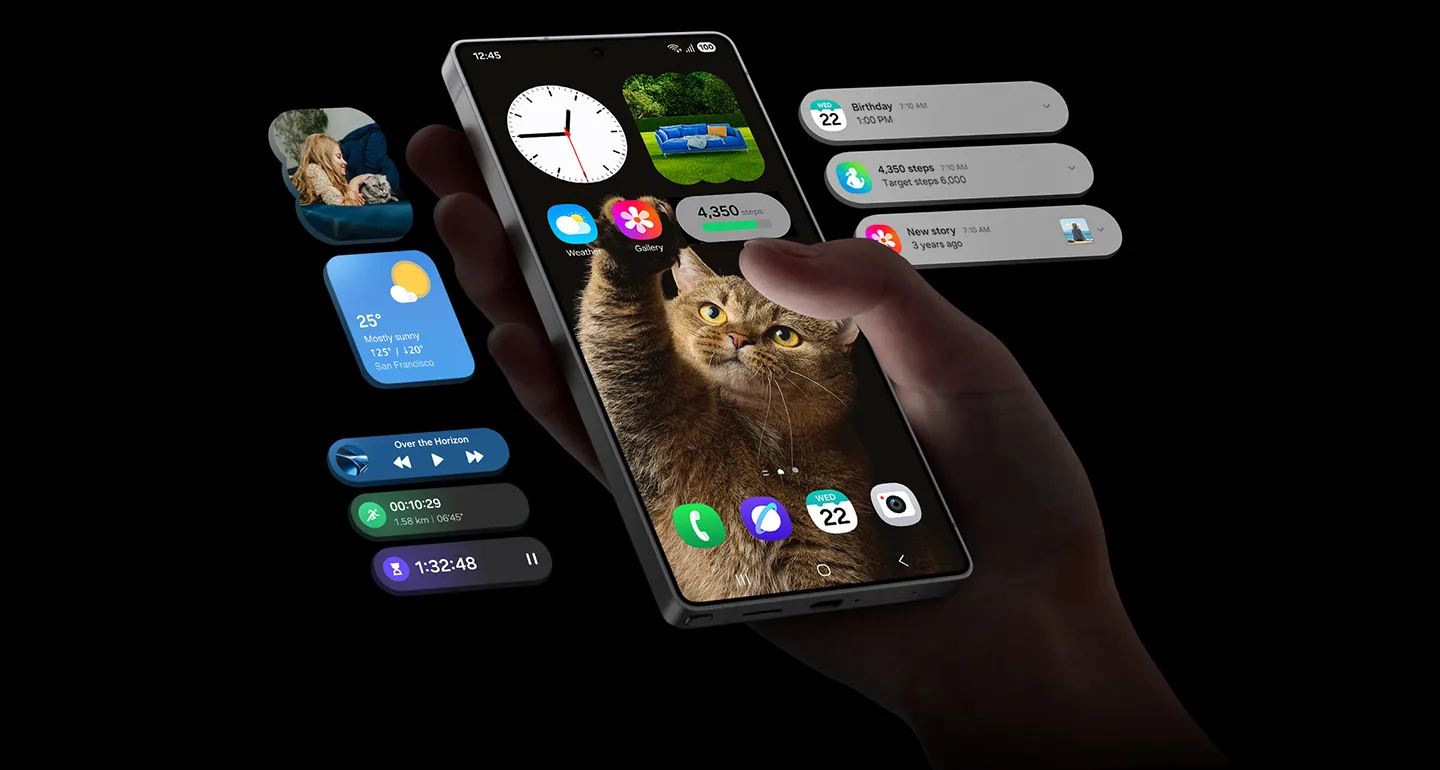
Get direct access to your Now Brief alerts, music, timer and more from the all-new Now Bar without having to unlock your phone.
Now Bar is active on the bottom of the main screen of a Galaxy smartphone. An alert from Now Brief slides up and behind a stack of other Now Bar notifications from active apps. Next is music, exercise, timer and then back to Now Brief.
The new home screen is yours to control with highly-customizable layouts and redesigned widgets.24
Home screen of Galaxy S25 Ultra is seen with three widgets. When dragged from the largest size, the weather widget transforms to a smaller size. Daily activity can be dragged across the screen. Weather widget can be dragged to an even smaller size. Gallery widget is dragged to a different position on the screen.
See what's in action right now. Live notifications let you monitor on-going activities such as timers and voice recordings on the Now Bar, status bar or even at the top of your regular notification panel.
Notifications are swiped down on the main screen of Galaxy device to show live notifications of active apps at the top.
Switching from iOS is so easy! Thanks to Smart Switch, you can transfer your photos, videos, contacts and apps effortlessly.
Use Quick Share to effortlessly send files between devices within or outside of the Galaxy, including iOS and PCs.
Want to experience the newest Galaxy AI on your device? Simply visit trygalaxy.com to download.
Our future-friendly approach
What goes around, comes around. We focus on energy efficiency and resource circularity in all product lifecycles. Every little bit helps and we're committed to doing more.
Switch effortlessly from iOS
Share files in the moment
Try Galaxy on your phone
Processor
4.47GHz, 3.5GHz
Octa-Core
Display
174.2mm (6.9")
3120 x 1440 (Quad HD+)
Dynamic AMOLED 2X
16M
120 Hz
S Pen Support
Camera
200.0 MP + 50.0 MP + 50.0 MP + 10.0 MP
F1.7 , F3.4 , F1.9 , F2.4
Yes
Yes
Optical Zoom 3x and 5x, Optical quality Zoom 2x and 10x (Enabled by Adaptive Pixel sensor) , Digital Zoom up to 100x
12.0 MP
F2.2
Yes
Yes
UHD 8K (7680 x 4320) @30fps
240fps @FHD, 120fps @FHD, 120fps @UHD
Storage/Memory
12
512
477.9
Network/Bearer
Dual-SIM
Nano-SIM (4FF), Embedded-SIM
SIM 1 + SIM 2 / SIM 1 + eSIM / Dual eSIM
2G GSM, 3G WCDMA, 4G LTE FDD, 4G LTE TDD, 5G Sub6 FDD, 5G Sub6 TDD
GSM850, GSM900, DCS1800, PCS1900
B1(2100), B2(1900), B4(AWS), B5(850), B8(900)
B1(2100), B2(1900), B3(1800), B4(AWS), B5(850), B7(2600), B8(900), B12(700), B13(700), B17(700), B18(800), B19(800), B20(800), B25(1900), B26(850), B28(700), B66(AWS-3)
B38(2600), B39(1900), B40(2300), B41(2500)
N1(2100), N2(1900), N3(1800), N5(850), N7(2600), N8(900), N12(700), N20(800), N25(1900), N26(850), N28(700), N66(AWS-3), N71(600)
N38(2600), N40(2300), N41(2500), N77(3700), N78(3500)
Connectivity
USB Type-C
USB 3.2 Gen 1
GPS, Glonass, Beidou, Galileo, QZSS
USB Type-C
No
802.11a/b/g/n/ac/ax/be 2.4GHz+5GHz+6GHz, EHT320, MIMO, 4096-QAM
Yes
Bluetooth v5.4
Yes
Yes
Smart Switch (PC version)
OS
General Information
Touch Bar
Sensors
-
Accelerometer, Barometer, Fingerprint Sensor, Gyro Sensor, Geomagnetic Sensor, Hall Sensor, Light Sensor, Proximity Sensor
Physical specification
162.8 x 77.6 x 8.2
218
Battery
5000
No
Audio and Video
Yes
MP4, M4V, 3GP, 3G2, AVI, FLV, MKV, WEBM
UHD 8K (7680 x 4320) @60fps
MP3, M4A, 3GA, AAC, OGG, OGA, WAV, AMR, AWB, FLAC, MID, MIDI, XMF, MXMF, IMY, RTTTL, RTX, OTA, DFF, DSF, APE
Services and Applications
Galaxy Ring, Galaxy Buds3 Pro, Galaxy Buds2 Pro, Galaxy Buds Pro, Galaxy Buds Live, Galaxy Buds+, Galaxy Buds3, Galaxy Buds2, Galaxy Buds, Galaxy Buds FE, Galaxy Fit3, Galaxy Fit2, Galaxy Fit e, Galaxy Fit, Galaxy Watch FE, Galaxy Watch Ultra, Galaxy Watch7, Galaxy Watch6, Galaxy Watch5, Galaxy Watch4, Galaxy Watch3, Galaxy Watch, Galaxy Watch Active2, Galaxy Watch Active
Yes
Android Audio Streaming for Hearing Aid(ASHA)
Yes
No
Software Support
31 January 2032


